I love my Xteink X4
Posted 5th April 2026
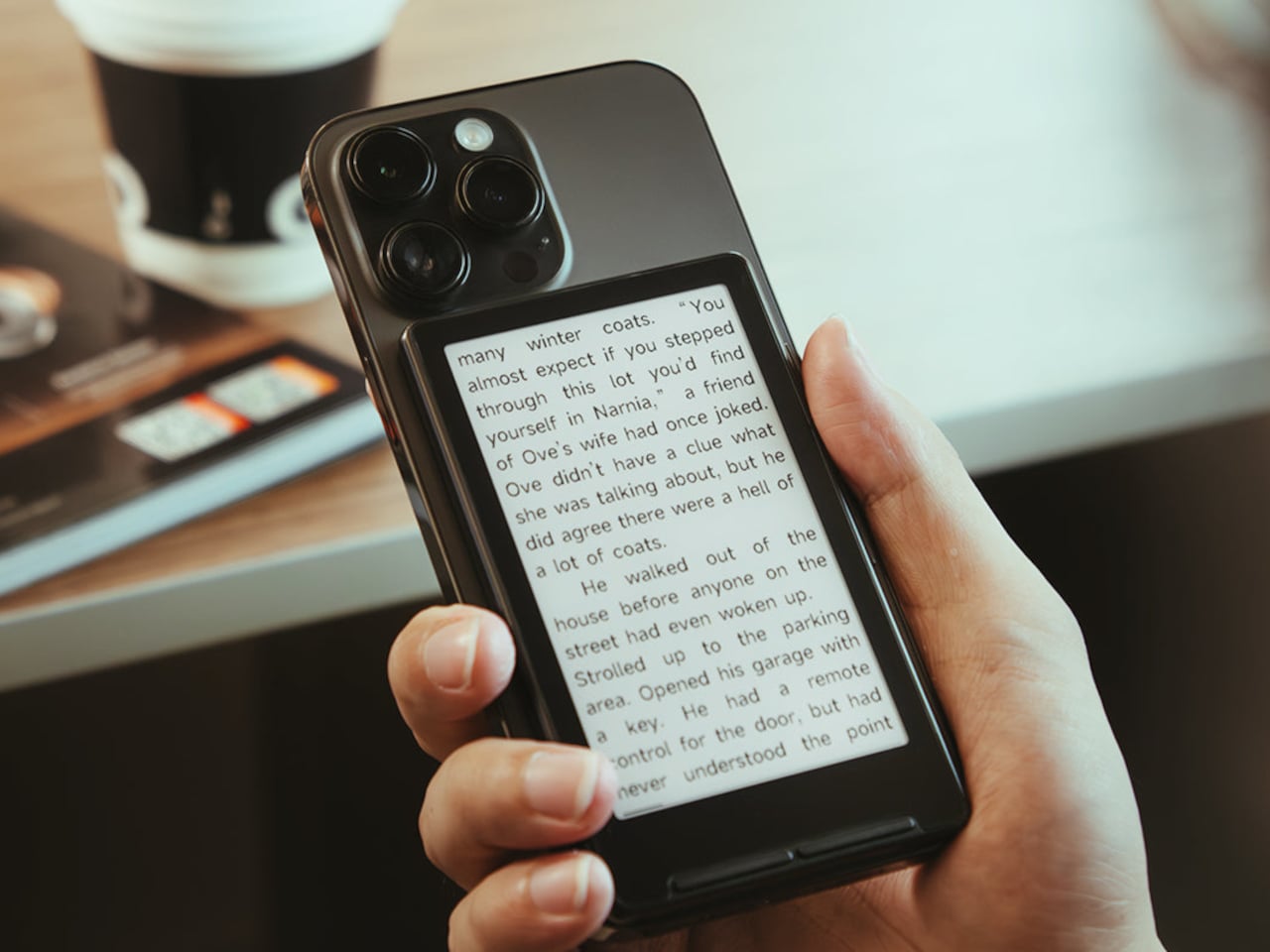
About a month ago I bought an Xteink X4 ereader on Ebay and it's starting to help me get back into reading. I'm going to give you my thoughts on it and tips for if you decide to get one for yourself.
The device is small but big enough to read from and the buttons are still usable.
You can also use Magsafe to attach it to your phone as shown above so you can always keep it with you. I've found keeping this with me has helped me get over my scrolling addiction. I deleted all of my social media but could't stop myself from unlocking my phone and poking around on the web. Having this ereader attached lets me read a page or 2 in the seconds I'd be wasting online.
Firmware
The stock firmware on the device is set to Chinese by default. I believe it's possible to switch it to English but I'd recommend replacing the stock firmware with the open source crosspoint-reader alternative.
Crosspoint-reader is great. You can only read books in E-PUB format and the files can't include images but you can transfer files over USB or connect the device to your wifi network and access file transfer web-GUI on the device itself. If you tether it to your phone you can then use wifi to transfer files from there.
Books
You can easily download books for free from the Anna's Archive shadow library (whilst this site isn't strictly illegal, it is still piracy related so the link above is to it's Wikipedia page).
Most popular books are on there in E-PUB format already but sometimes they're only available in other formats like PDF, MOBI or AZW.
To convert them to E-PUB you can use the software Calibre on Windows, Mac OS or Linux. This is a great app for desktop that lets you manage your ebook library and can convert between pretty much every format.
The best app I've found found for converting ebooks on Android is the creatively named PDF to Epub converter. As the name suggests this app can only convert from PDF to E-PUB but this seems to be a high quality app that's free of malware and the conversion takes place on device, so no need for a subscription. The fact that not having malware or scamming you into a paying a subscription is a sign of high quality software on Android is an indictment of the OS but that's a subject for another post.
rsspub
Reading books on the go is great but I like to have the option to read the news as well. Calibre offers a few options to create an ebook based on RSS feeds which is great. But I prefer being able to wake up on a Satuday morning with an ebook I can immediately upload to my ereader without having to boot up my PC. This is where rsspub comes in. I self host a few apps on a home server (stay tuned for more updates on that) and running rsspub along with them was nice and simple.